Which description matches your situation?
United Kingdom account; old authenticator still produces codes
Verify the genuine .co.uk service, then use Profile, Security management and Modify in the UK client portal. Verify the new device before retiring the old one.
United Kingdom account; old authenticator is lost or inaccessible
Use verified UK support at support@vantagemarkets.co.uk and follow the published authenticator-removal identity checks. Never supply an authenticator code, password, PIN or recovery key.
South African account; old authenticator is available
Check the entity in your agreement and use authenticated account help for your service to confirm the supported device-change steps. Do not substitute the UK or APAC menu.
South African account; old authenticator is unavailable
Contact the official South African service with the client entity and account reference, ask for the correct verified recovery channel, and retain the support record. Do not send identity documents until that channel is verified.
Another English-speaking territory or an unclear account entity
Stop before sending identity documents. Independently verify the local firm, website and agreement, then obtain recovery instructions from that verified provider.
Which account and recovery route apply to you?
Choose United Kingdom or South Africa before following any account instructions, then check the entity named in your agreement. For a UK account, the FCA identifies the genuine firm as Vantage Global Prime LLP, FRN 590299, and lists www.vantagemarkets.co.uk in its clone-firm warning. Match the website and contact details as well as the reference number before sending documents. The FCA has also published a separate warning about the exact international domain vantagemarkets.com, expressly distinguishing it from that UK firm; an international app or support link does not establish a UK account relationship.
For South Africa, check both the agreement and the local licence. The South African regulatory information describes Vantage Markets (Pty) Ltd, FSP 51268, exclusively as an intermediary and identifies VIG Group of Mauritius, FSC licence GB20026165, as the product supplier with which the account is registered. You can search the FSCA register for 51268 to check the intermediary's exact name and authorisation, but the signed agreement identifies the account counterparty. Do not transfer UK support addresses, protections or complaints routes to a South African account, or the reverse. Readers in other English-speaking territories need independent local regulatory and official-company sources.
United Kingdom: can your old authenticator still produce a code?
If it can, keep the old phone or authenticator available until the replacement has been verified. A changed phone does not necessarily mean lost access: if the authenticator was securely transferred and its codes still work, the UK help centre treats this as access to the existing device. Its documented client-portal route is Profile, then Security management, then Modify within Security authenticator app. Enter and verify the current one-time code, scan the displayed QR code with the authenticator on the new device, and complete the verification. The QR code belongs in that setup flow; do not send it or a generated code to another person.
Before wiping or discarding the old phone, confirm that the replacement generates accepted codes and that you can still sign in and reach the expected security check. These menu names are documented for the UK client portal, not for every regional service. If you are setting up an authenticator for the first time rather than replacing one, the UK article instead describes Enable, email verification and scanning the QR code; follow the article that matches your situation.
- Sign in through the verified UK service and open Profile in the client portal.
- Select Security management, then Modify under Security authenticator app.
- Enter the one-time code from the existing authenticator when the portal requests it.
- Scan the displayed QR code using the authenticator on the replacement device and finish the verification.
- Test account access with the replacement before removing the old authenticator or wiping the old phone.
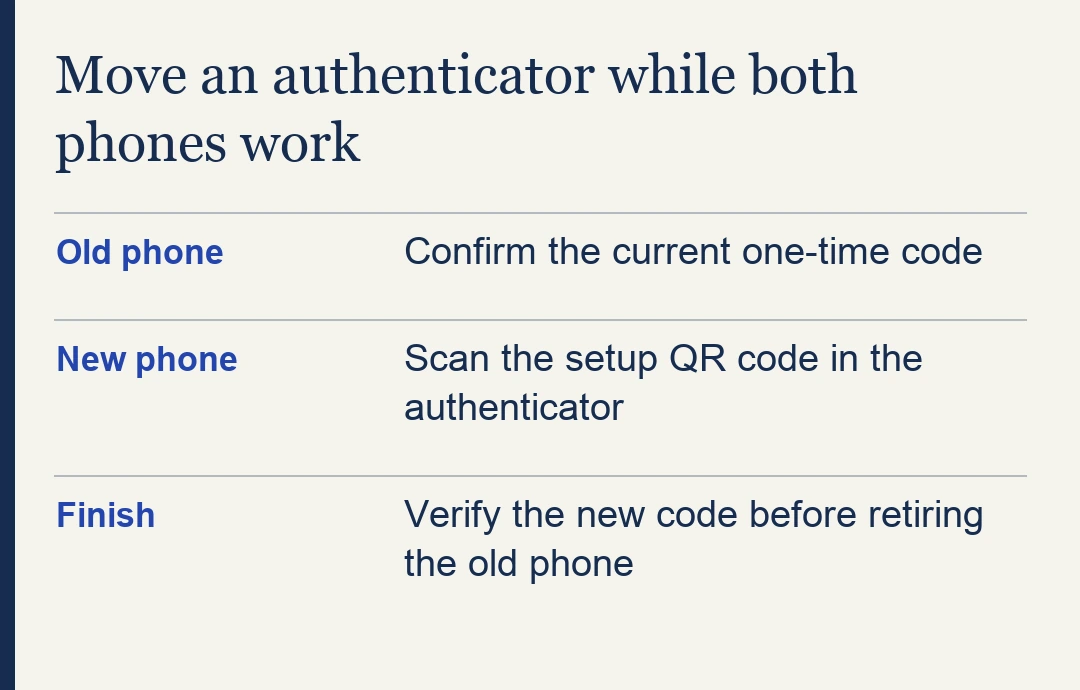
Move an authenticator while both phones work
UK: changing your authenticator device when you change mobile phoneUnited Kingdom: what if the old authenticator is lost or inaccessible?
The UK help centre directs you to support@vantagemarkets.co.uk to request removal of the existing authenticator. Confirm that address against the genuine UK firm's published details before sending personal information, and use the official support channel rather than an unsolicited message or this manual. For that phone-change request, the published information is your registered full name, date of birth, residential address, and a clear photo of yourself holding your photo ID next to your face.
A separate UK article for people unable to add an authenticator gives a different request: email from the registered address with your full legal name, date of birth, and a selfie holding proof of identity with its front and back clearly visible and legible. Use the instructions for the actual fault rather than combining both lists unnecessarily. Neither article states a completion deadline or guarantees an outcome, so retain the support reference and response and ask verified UK support what happens next if access remains blocked.
South Africa: how do you find the supported recovery process?
Identify the client entity and account counterparty in your agreement, then use your authenticated account help and the official South African contact information to ask how to replace or remove an inaccessible authenticator. Do not use UK portal menus, identity-evidence requirements or a .co.uk support address unless they are confirmed for your own service. If the old authenticator still works, confirm the supported device-change steps before retiring it.
The published South African contact table lists support-za@vantagemarkets.com for licence enquiries and support@vantagemarkets.com for complaints. It does not identify either as a dedicated 2FA-reset channel. State the client entity, account reference and precise access problem, and ask for the correct verified recovery route rather than emailing identity evidence speculatively. If the issue becomes a complaint, distinguish the South African intermediary's service from the product supplier's conduct. Approach the provider first; FAIS Ombud eligibility depends on the dispute falling within its jurisdiction and current document and time-limit rules, so an issuer or execution dispute should not automatically be sent there.
Why should you not substitute the international app instructions?
The APAC international help centre describes a separate in-app recovery route when the old authenticator is unavailable: from Home, open Profile, select Security and Two-Factor Authentication (2FA), then choose Change Authenticator or Disable Authenticator. It says to verify a phone number or use Switch verification to select an available method, with email, face or mobile verification described in the article. Those steps describe that international service only; they are not evidence of the UK or South African procedure, and an available international interface does not establish local permission or an account relationship.
Its fallback is also different: support@vantagemarkets.com, with a selfie holding proof of identity and another selfie holding paper marked Vantage and the date in YYYY/MM/DD format. That address and evidence list should not be substituted for the UK process. This difference is precisely why country, website and account entity need checking before identity documents are sent anywhere.
How do you protect access and records during the change?
An authenticator adds a second check for account access and withdrawals, so a working password alone may not be enough to authorise every action. Avoid wiping the only working authenticator before the replacement is confirmed. If someone else may know your password, change or reset the client-portal password through the verified service. No legitimate recovery step requires you to disclose a one-time code, recovery key, password or PIN to this manual, and you should not include them in an email or chat.
Keep dated copies of the support request, its reference, any error message and the response, while redacting unnecessary identity information in your own retained records. Do not rely on a support-response timeframe being guaranteed. Success means the new authenticator completes verification and you can sign in and reach the expected security or withdrawal-verification step without relying on the old phone; only then remove or wipe the superseded authenticator.
What can you do if access remains blocked?
For a genuine UK account, continue through the firm's verified support or formal complaints route and retain its response. The UK site lists complaints@vantagemarkets.co.uk for complaints; provide the reference, relevant dates and the resolution sought. After approaching the business, check the Financial Ombudsman Service's current eligibility rules and deadlines for the particular investment dispute. Its involvement cannot be assumed for a clone or offshore firm. The UK legal-document index and the agreement version in your account are the appropriate references for the applicable terms and protections.
For South Africa, follow the formal process in the applicable agreement and identify whether the unresolved issue concerns intermediary service or issuer and execution conduct. Use the relevant provider's response and supporting records when assessing escalation. Neither country's licence, protections or complaints route should be treated as transferring to the other.
Sources
- APAC international service: changing your authenticator device when you change mobile phoneapac.vantagehelpcenter.com
- APAC international service: what a security authenticator device is and why it matters for withdrawalsapac.vantagehelpcenter.com
- UK: changing your authenticator device when you change mobile phonehelpcenter.vantagemarkets.co.uk
- UK: why you may be unable to add a security authenticator device (2FA)helpcenter.vantagemarkets.co.uk
- UK: what a security authenticator device is and why it matters for withdrawalshelpcenter.vantagemarkets.co.uk
- UK: how to add a security authenticator devicehelpcenter.vantagemarkets.co.uk
- UK FCA warning concerning the international vantagemarkets.com domainwww.fca.org.uk
- UK FCA clone warning identifying the genuine Vantage firm and domainwww.fca.org.uk
- Legal documents applicable to UK accountswww.vantagemarkets.co.uk
- UK contact and complaints detailswww.vantagemarkets.co.uk
- Financial Ombudsman Service guidance on investment complaintswww.financial-ombudsman.org.uk
- South African entity, product issuer and account counterparty informationwww.vantagemarkets.com
- FSCA financial services provider searchwww.fsca.co.za
- South African Vantage contact detailswww.vantagemarkets.com
- FAIS Ombud complaint submission portalfais.powerappsportals.com